The Appeal of the LA-2A — Two Knobs That Pull a Vocal Together: How to Use an Optical Compressor
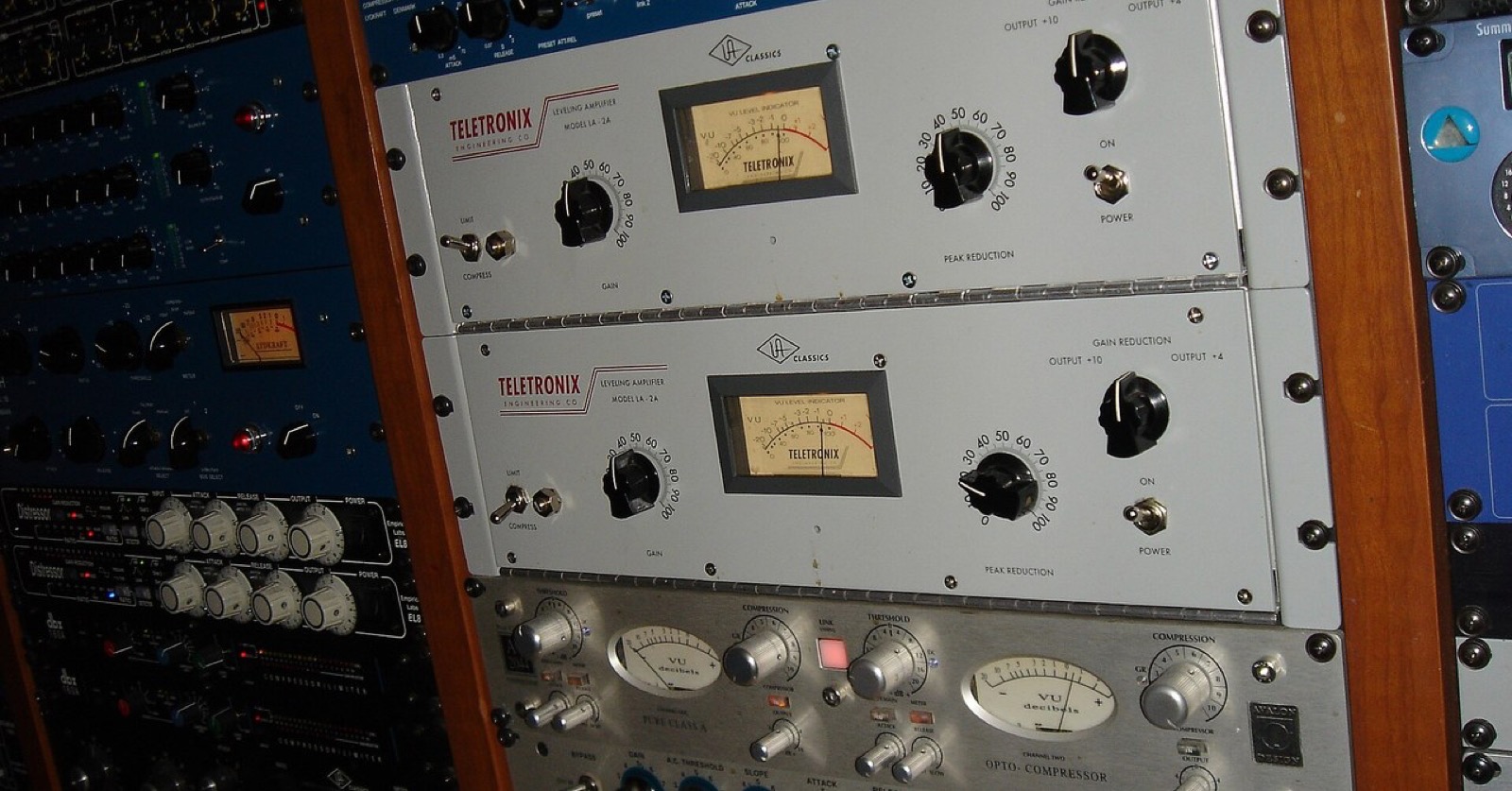
Imagine listening back to a recorded vocal: only the long notes in the chorus are too loud, yet you want to keep the phrasing and expression. The LA-2A is one option for that situation. Its main front-panel controls are Peak Reduction and Gain. Once you understand what those two knobs do, it becomes clearer why this unit is so often discussed for vocals and bass.
What the two knobs do
Peak Reduction adjusts how much compression is applied. The farther you turn it up, the lower the input level at which compression begins, and the greater the gain reduction. Gain adjusts the output level after compression. This lets you treat the control that sets the amount of compression separately from the control that matches the listening level for comparisons.
Switch the meter to gain reduction and you can watch how much the level is being turned down. In the end, though, your ears are the guide. A sound can seem better simply because it is louder after you raise Gain, so match the level against bypass when comparing.
Gentle control driven by light
The LA-2A uses optical level control. A light-emitting element responds to the signal, and a light-sensitive component controls the volume. The light-sensitive component has a response over time, so compression recovers gradually as the input changes. Its program-dependent behavior, in which the movement varies with the unit and the signal, is another defining characteristic.
For that reason, it is better suited to gently shaping the flow of a vocal or bass than to catching each fast peak one by one. Of course, no single unit suits every voice or performance. If you apply too much, the ends of words can sink and the expression of a phrase can change.
Find a starting setting
As a starting point for vocals, raise Peak Reduction gradually and listen for about 2–3 dB of gain reduction on louder notes. For bass, set it in response to the hardest-plucked notes, and try around 2–5 dB while making sure average notes do not sink too far. The result varies with meter calibration and input level, so these are not fixed values. Use Gain to match the output level, then compare the tone before and after processing.
Why it works well on vocals
The level of a vocal changes even within a single phrase. The LA-2A’s gentle movement lets those differences blend over time instead of abruptly leveling them out. It can help preserve the core of the voice while making quieter words easier to hear.
When adjusting it, first raise Peak Reduction a little at a time and check both the meter movement and the naturalness of the vocal. Listen for whether only the loud notes have become excessively quiet, or whether word endings disappear unnaturally. Use Gain at the end to match the output. Comparing the compressed sound and bypass at the same level helps avoid being fooled by a difference in loudness.
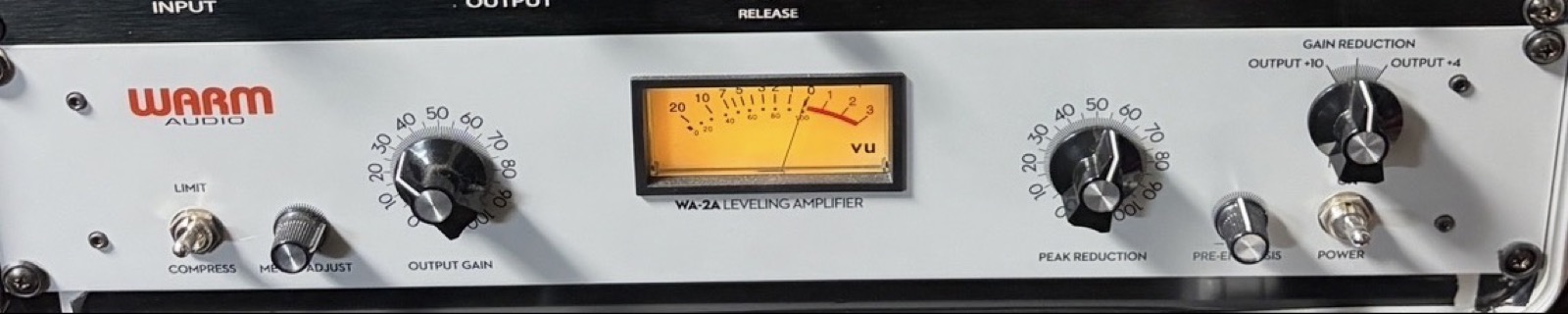
I own a Warm Audio WA76 and WA-2A. In my rack, the WA-2A sits directly below the WA76.
Why it works well on bass
Bass needs to maintain a steady presence in the low end, while the strength of each pluck and the breathing room in a phrase are also part of the music. The LA-2A’s gradual control can help when you want to reduce large level differences while retaining the core of the sound. It may smooth out the sound and make the bass line easier to follow in a mix.
If you want to preserve a clearly defined attack or control only small peaks, however, it can make sense to pair it with a faster compressor. You can assign different jobs to each: first tame the peaks with a faster unit, then use the LA-2A lightly afterward. Decide on the order and amount by listening to the recorded performance.
Common problems and how to fix them
If Peak Reduction is set too high, word endings sink and the phrase loses some of its natural breathing. Reduce the amount, and if needed, use a faster compressor first to catch only the peaks. If raising Gain makes noise or breaths too prominent, match the output level and compare again, and check the recording noise as well. If the bass swells into the next note, use less compression or consider sharing the work with a faster type of compressor.
Key points in this section
- Peak Reduction sets the amount of compression; Gain adjusts the output.
- Start with a modest few decibels of movement, then judge by ear.
- Listen to word endings and how the low end recovers.
What to do when you are unsure
Start with a light touch and watch how the meter moves on the louder parts. After raising Peak Reduction, listen to the impression of the whole phrase rather than each individual syllable. Does the sound come forward, or does it feel strained? Adjust Gain to match the level, then alternate between the processed sound and bypass.
If you want to retain air around a voice, check whether room sound or breaths are being brought up too much. With bass, listen for low notes swelling unnaturally or compression continuing into the next note. Noise can also be raised along with the signal, so the condition of the recording matters.
Having few main controls does not make sound shaping simple. Peak Reduction determines the movement, and Gain makes the comparison conditions consistent. The slow response created by light follows the flow of a vocal or bass. That gentleness is the appeal of the LA-2A.
Sharing the work with a faster compressor
If you try to tame large, momentary peaks using only the LA-2A’s slow movement, the level of the whole phrase may change more than necessary. Conversely, using a fast compressor heavily can flatten the initial energy and natural expression of a vocal. One way to divide the work is to let a faster unit catch some of the instantaneous peaks first, then use the LA-2A afterward to blend the remaining level differences.
You can reverse the order; there is no single right answer. Putting EQ before compression can make strong low frequencies or sibilance change how the compressor responds. Putting it afterward shapes the tone after compression. When switching settings, match the level and check whether you can describe how the vocal’s distance and naturalness have changed.
What to check for each source
- Vocals: listen to phrase length and how word endings remain.
- Bass: check the core of the pitch as well as changes in level.
- When combining units: decide on one job for each stage.
Connecting meter readings with what you hear
Seeing the meter move by a few decibels is useful, but a number alone cannot tell you whether a vocal sounds natural. A sustained vowel may be smooth while the breath at the end of a word retreats unnaturally. Listen not only to a loud note but also to the sounds immediately before and after it to hear how compression affects the flow of the phrase.
If the level differences in a recording are very large, you do not have to solve everything with a compressor. You can first use clip gain or automation to tame the most extreme spots. Preparing the material can preserve a more natural sound than asking the LA-2A to handle a large difference all at once. Avoid making more processing an end in itself, and listen regularly with the compressor removed.
Even if the effect of compression seems small, there is no need to increase it immediately. Check whether the words remain intelligible in the mix and whether you can follow the bass notes. It is enough if the compressor plays its role in the song, even when it does not sound dramatic in solo.
After compressing a vocal recording, breaths and room reverberation may become easier to hear. Check that you have not raised Gain more than necessary and that noise in silent sections is not prominent. If intelligibility has improved but the recording’s ambience has become too loud as well, you can choose to use less compression.
When layering multiple takes, first check the level differences and phase between the tracks. A compressor shapes changes in level; it does not fix the timing of a performance or the way overlapping tones combine. Preparing the material before processing can help you achieve your goal with less compression.
Photo credits
- “w46_la2a_photo_header.jpg” (cropped): Photo: Jon Gos / Wikimedia Commons / CC BY 2.0
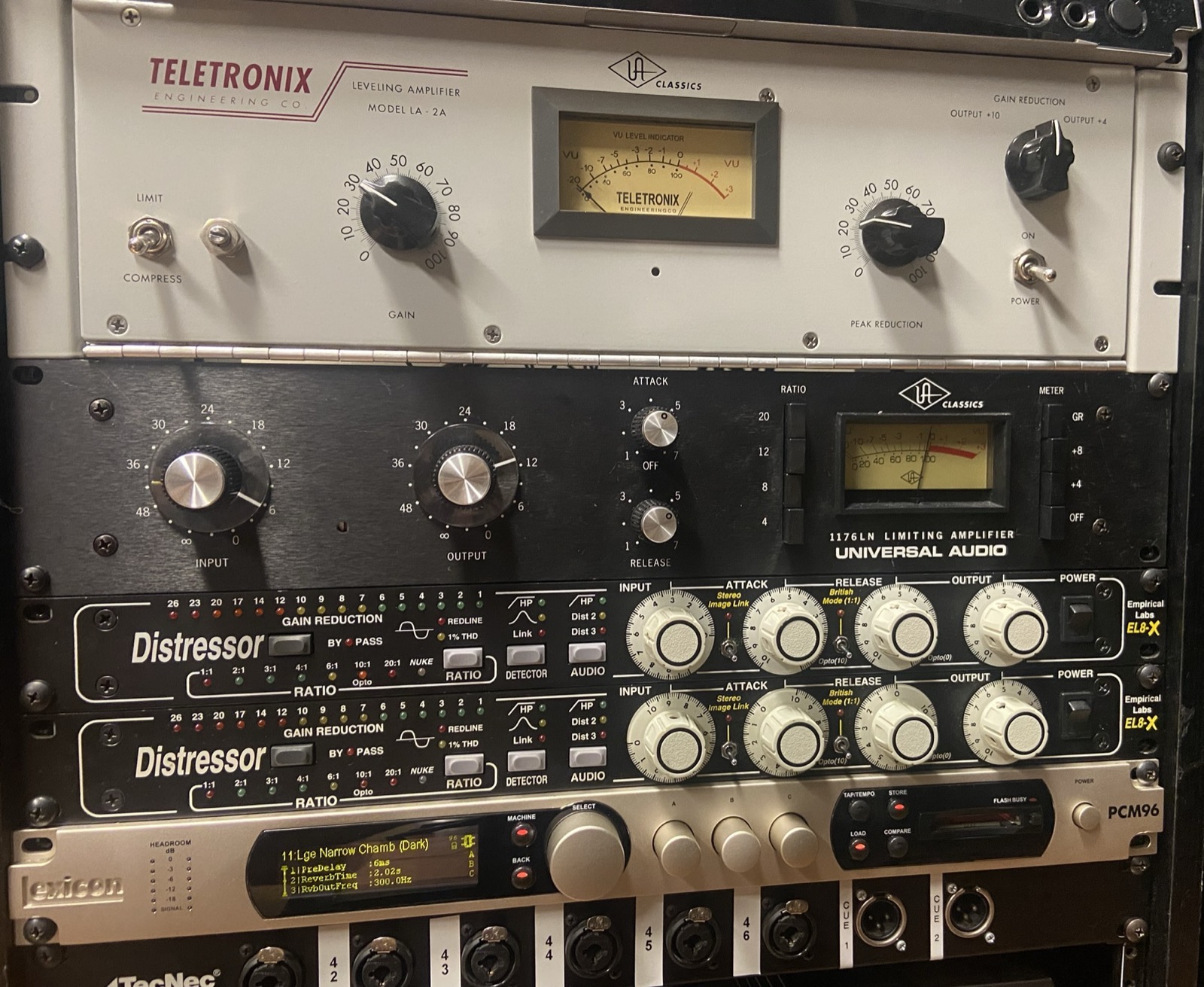
- “w46_la2a_1.jpg,” UA reissue LA-2A (top) and 1176LN (middle): Photo: The Midnite Wolf / Wikimedia Commons / CC0
- “w46_la2a_2.jpg,” the author’s Warm Audio WA-2A: Photo: the author