How to Choose Headphones for Home Recording — Closed-Back, Open-Back and Classic Models
☕ Gadget Creators Lab publishes guides to gear for home recording, music production, and video creation. We explain the criteria that matter in a clear way, including for people just getting started.
💡 What you’ll learn
- How listening headphones differ from monitor headphones
- Why closed-back and open-back headphones serve different roles in recording and mixing
- What classic models are like and what to check before choosing your first pair
When you record vocals or instruments, or edit audio, headphones are one of the tools you rely on to judge your work. But product listings are full of terms like “monitor,” “studio,” “open-back,” and “impedance,” so it can be hard to know where to start.
First, decide how you plan to use them. For vocal recording, it’s important to keep sound from leaking into the microphone. If you want to judge stereo width and imaging while mixing, open-back headphones may also be worth considering. Once you’ve defined the use case, model numbers and detailed specs are less likely to distract you.
Listening Headphones and Monitor Headphones Have Different Goals
Some listening headphones are tuned to make music more enjoyable, with boosted bass or treble, or a wider sense of space. That kind of coloration can be appealing for casual listening, but it can get in the way when you’re judging balance during recording or mixing. If the headphones emphasize bass, you may hear more low end in your production than is actually there.
Monitor headphones are designed to make details in the source easier to hear. They can help you spot noise or small timing slips in a performance, and check the level and tone of each part. But a product labeled “monitor” won’t necessarily sound like every other monitor headphone. Fit and sound signature vary, so choose a model that suits both your needs and its specifications.
It’s also important not to finish a mix using headphones alone. Listen again on several systems, including a smartphone or small speakers, to check how the audio translates in the playback environments people commonly use. That helps you avoid being misled by the particular way your headphones sound.
Closed-Back for Recording, Open-Back for Mixing
Closed-back headphones have ear cups with sealed outer shells. They tend to block outside noise and keep more of the headphone audio from escaping. During vocal recording, you want to reduce “bleed”—the backing track playing through the headphones and getting picked up by the microphone. That makes closed-back headphones a practical choice for vocals and narration.
They won’t eliminate leakage completely. If the volume is too high or the ear pads don’t fit well, the microphone may still pick up the backing track. Keep the volume no higher than necessary, and make a test recording to check for bleed.
Open-back headphones have vents or an open structure on the outside of the ear cups. Because sound can escape, some people find them less stuffy than closed-back models and feel they give a more natural sense of width and left-to-right placement. They can be a good option when you want to check instrument imaging and spatial placement in a mix.
On the other hand, open-back headphones let outside sound in, and people nearby can hear what you’re playing. Leakage can be a problem near a microphone during recording, and you’ll need to consider when and how loudly you use them if you live with family or roommates. If you want separate headphones for recording and editing or mixing, a practical approach is to start with closed-back headphones for recording and add an open-back pair only if you find you need one.
Imaging is the sense of where a sound sits from left to right and how wide it seems. Open-back headphones aren’t automatically more accurate at imaging. The character of the headphones and the shape of your ears affect what you hear. Check your decisions on other playback systems, too.
Impedance Helps You Judge Whether You’ll Get Enough Volume
Impedance describes how headphones respond to an electrical signal. It’s measured in ohms (Ω). Depending on the device you connect them to, a higher-impedance model may not get loud enough. But impedance alone doesn’t determine how easy a pair is to drive. Sensitivity and the performance of your audio interface’s headphone output also matter.
For example, the MDR-CD900ST is 63Ω, the MDR-M1 is 50Ω, the ATH-M50x is 38Ω, and the K712 PRO is 62Ω. The DT 770 PRO comes in several versions, including 32Ω, 80Ω, and 250Ω, so check the impedance when you buy. A lower number doesn’t automatically make one model the best choice for every device.
If you’re connecting to an audio interface, check its specifications for supported headphone loads or output power. Some interfaces can drive high-impedance headphones to a comfortable level, and perceived loudness can vary between headphones even on the same interface. If you have to turn the volume knob very high to get the level you need, check the interface manual and consider a model that’s easier to drive.
Even if you can get enough volume, avoid keeping the knob near maximum all the time. Choose a combination that gives you room to adjust, and protect your hearing by avoiding loud listening for long periods.
Choose a Model That Fits Your Work
The models below are options to consider based on their design and specifications. Comfort and sound preferences vary from person to person, so try them on in a store if possible, or check the return policy before buying.
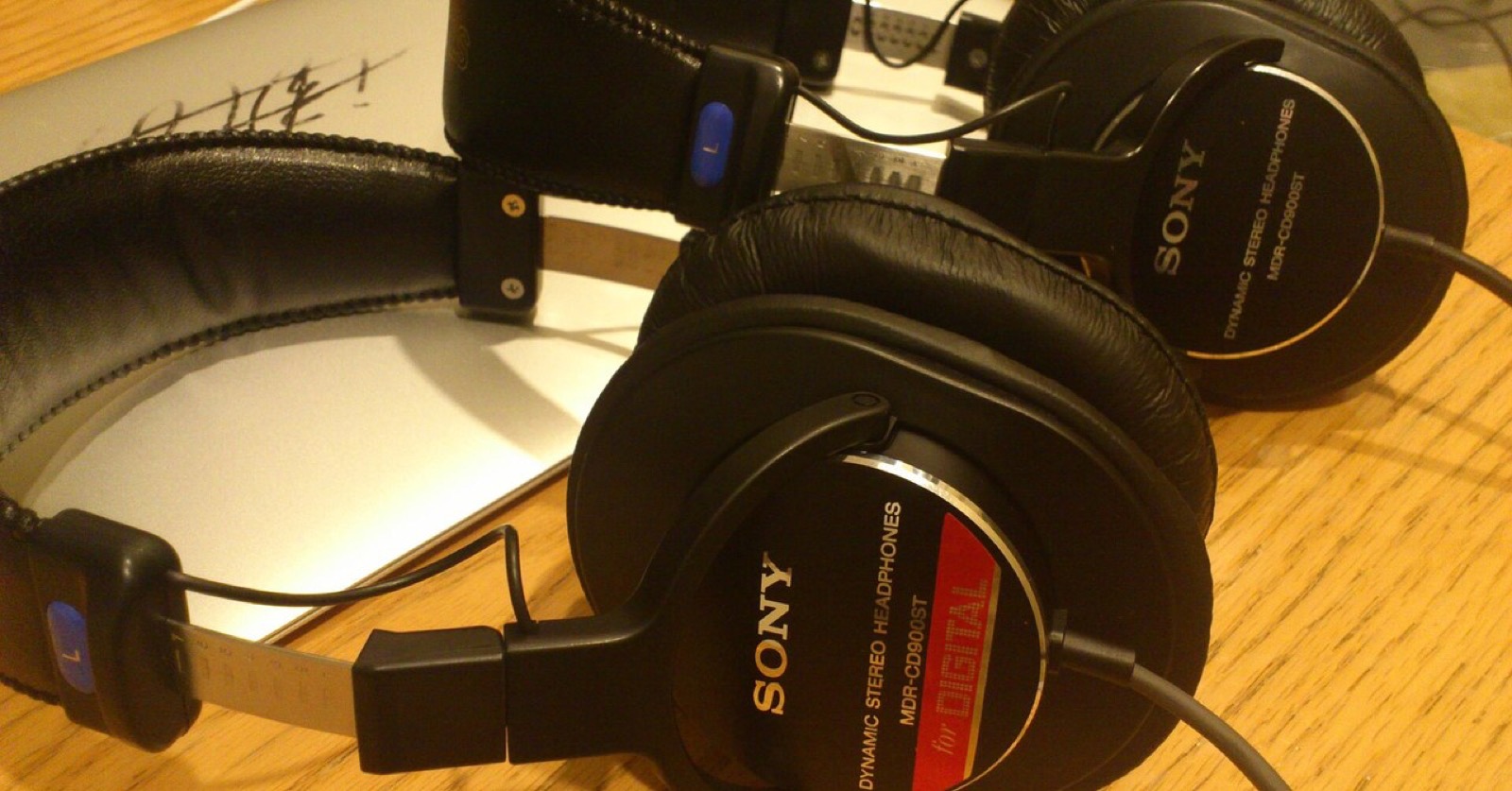
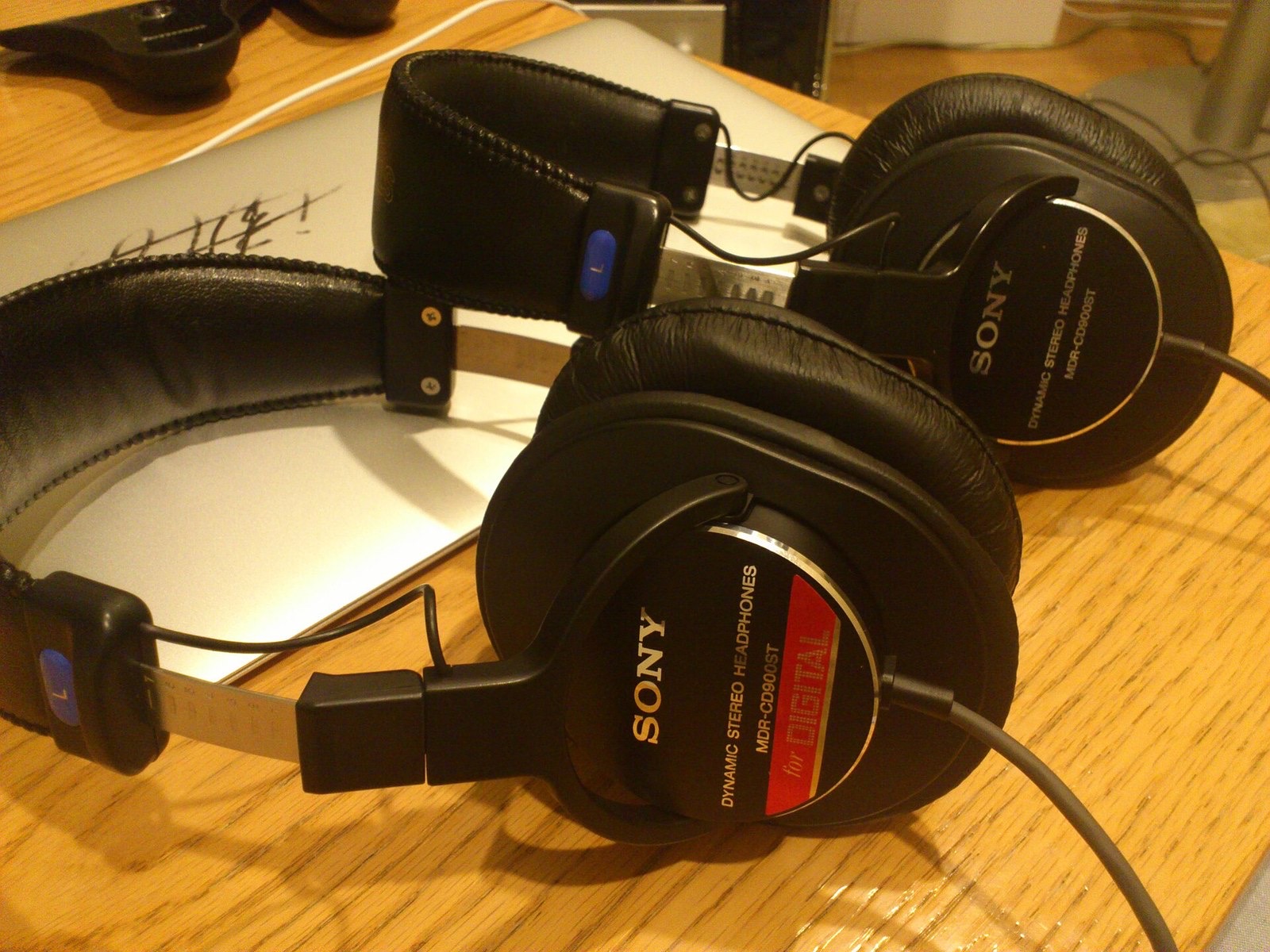
SONY MDR-CD900ST
This closed-back professional monitor headphone has been used for a long time in recording studios in Japan. Sony describes it as a model developed in collaboration with Sony Music Studios. It’s worth considering if you want a go-to pair for vocal recording or want the familiar reference sound of a studio in your home.
It has a full-size stereo plug, which is larger than the mini plug found on many consumer headphones. Check that it fits the jack on your audio interface. Its closed-back design makes it useful for recording, though comfort and sound preferences vary. Consider whether it suits your need to check the details of a source, along with how it feels to wear.
SONY MDR-M1
This closed-back monitor headphone was designed for creators. It has a 50Ω impedance and a detachable cable. Two cables of different lengths are included, so you can choose the one that suits your setup. Sony describes it as a model with strong sound isolation, designed with headphone bleed during recording and on-the-go work in mind.
It’s an option for anyone who wants to use the same headphones for recording vocals or instruments and for editing or mixing. The MDR-CD900ST and MDR-M1 differ in design, fit, and sound, so compare them based on your work and comfort rather than simply asking which one is better. Note that the MDR-M1ST is a different model with a similar name.
audio-technica ATH-M50x
This closed-back model folds and has a detachable cable. Its impedance is 38Ω. It also comes with several cables, giving you options for recording, editing, or carrying the headphones with you.
It’s a good option if you want one pair for both recording and mixing, or are looking at a range of established studio models. The similarly named ATH-M50xBT2 is a different product with Bluetooth. If you mainly plan to use a wired connection for home recording, check the model number so you don’t confuse it with the ATH-M50x featured here.
AKG K712 PRO
The K712 PRO is an over-ear, open-back model with an impedance of 62Ω. AKG lists studio mixing and hi-fi listening as intended uses. Since it’s open-back, it’s better suited to checking imaging and width while editing or mixing after a recording than to using beside a microphone while recording vocals or instruments.
It’s an option if you’re trying open-back headphones for the first time or want to avoid a closed-in feel during long editing sessions. Keep in mind that open-back models can leak a lot of sound, so consider whether you can work in a quiet room. Also check that the headphones get loud enough with the output you normally use.
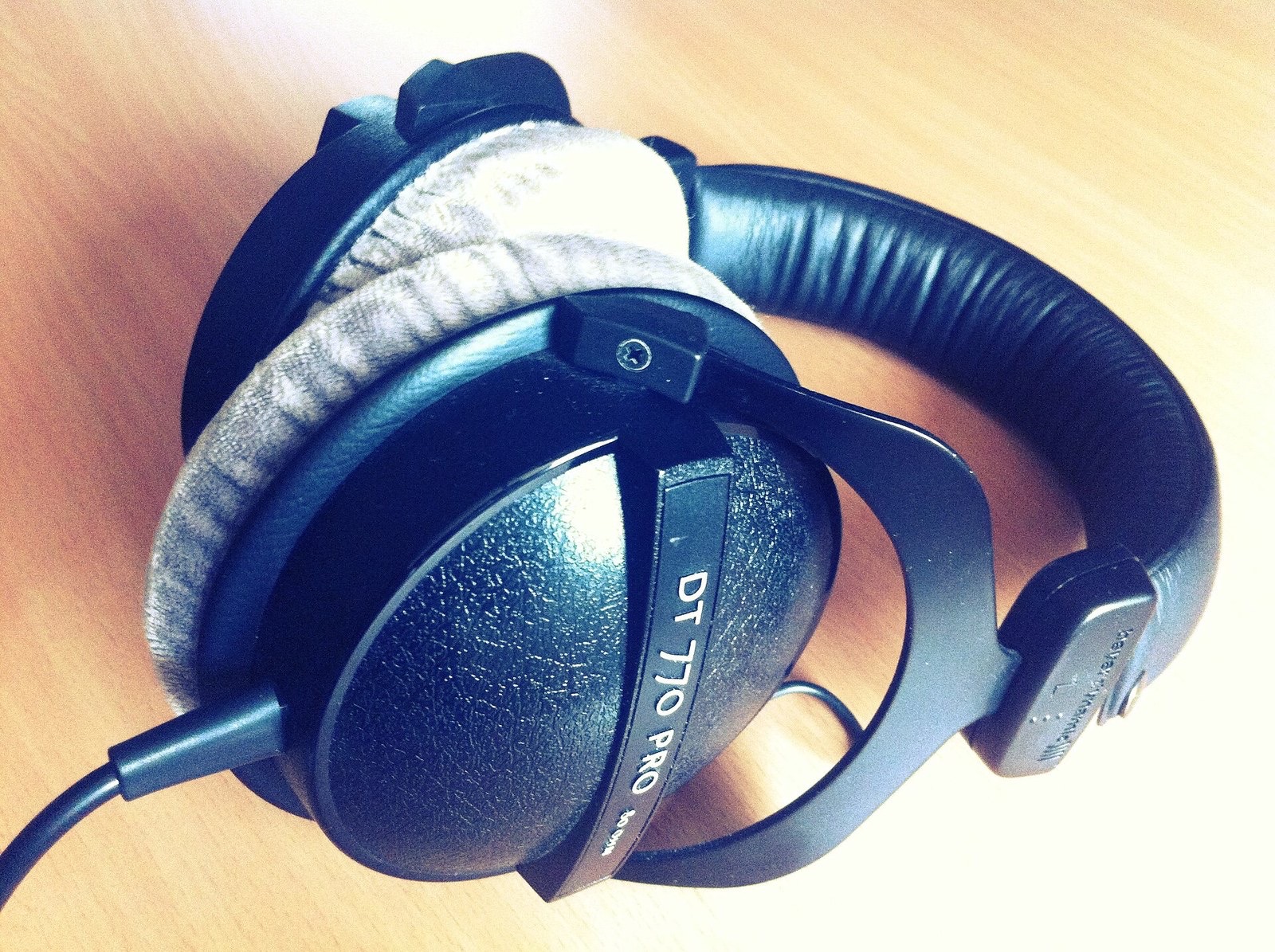
beyerdynamic DT 770 PRO
This is a closed-back studio headphone. It comes in several versions, including 32Ω, 80Ω, and 250Ω, and the suitable equipment and sound characteristics can differ depending on the impedance. The manufacturer offers the 80Ω model as an option for a wide range of studio uses and for devices such as computers.
It’s worth considering if isolation during recording matters to you or if you want to choose an impedance that suits your gear. Check whether the listing specifies the ohm rating after “DT 770 PRO.” If you’re unsure, first look at the headphone output specifications for your interface and choose the version that matches your connection.
Checklist for Choosing Your First Pair
Before you buy, go through these points one by one:
- Will you use them for recording? If you record vocals or instruments, prioritize closed-back headphones, which can help reduce sound leakage.
- Will you mainly edit and mix? If it’s all right for sound to escape into the room, consider an open-back model as well.
- Will the plug fit? Check the headphone plug and the jack on your interface. See whether you’ll need an adapter.
- Will your interface drive them loudly enough? Check the output specifications of your device and the headphone sensitivity, not just the ohm rating.
- Can you wear them for long sessions? Weight, clamping force, and the feel of the ear pads all affect how long you can work comfortably. Try them on if you can.
- Are they easy to maintain? Check whether you can replace the cable and ear pads, and whether replacement parts are available.
- Do they suit your workspace? Think about sound leakage from open-back headphones and the enclosed feel of closed-back models.
You don’t need to buy two pairs right away for recording and mixing. On the other hand, if your goal is listening to music on the go or enjoying powerful bass, this way of choosing isn’t a good fit. You’ll probably be happier choosing headphones made for listening.
If you record vocals, starting with a closed-back pair can cover that need well. If you mainly mix and can work in a quiet room, an open-back model is another option. You can always add another pair as your needs grow.
My recommendation is to narrow down the options based on how you record, then check comfort and compatibility with your interface. Don’t decide on a model’s reputation alone. Check for leakage, a suitable connection, and comfort over long sessions, and you’re more likely to find a pair you can rely on for everyday production.
Photo credits
- Header image, “MDR-CD900ST.jpg” — Masahiko OHKUBO (cropped) / Wikimedia Commons / CC BY 2.0
- “MDR-CD900ST.jpg” — Masahiko OHKUBO / Wikimedia Commons / CC BY 2.0
- “Beyerdynamic DT 770 PRO Headphones.jpg” — Mike Russell / Wikimedia Commons / CC BY 2.0
License: CC BY 2.0.