My Best Buy from Prime Big Deal Days 2026 — A Stream Deck
📅 Archived post from 2026-10-20. Prices, dates and availability may have changed.
☕ Gadget Creator Lab is a column about gear for home recording, music production, and video creation, written from the perspective of someone who actually uses it.
💡 Tip — What you’ll learn
- How much a Stream Deck has actually sped up my everyday work
- The most useful ways I use it: text snippets, DAW macros, and switching streaming scenes
- What to consider before buying, including the number of keys and whether you need knobs
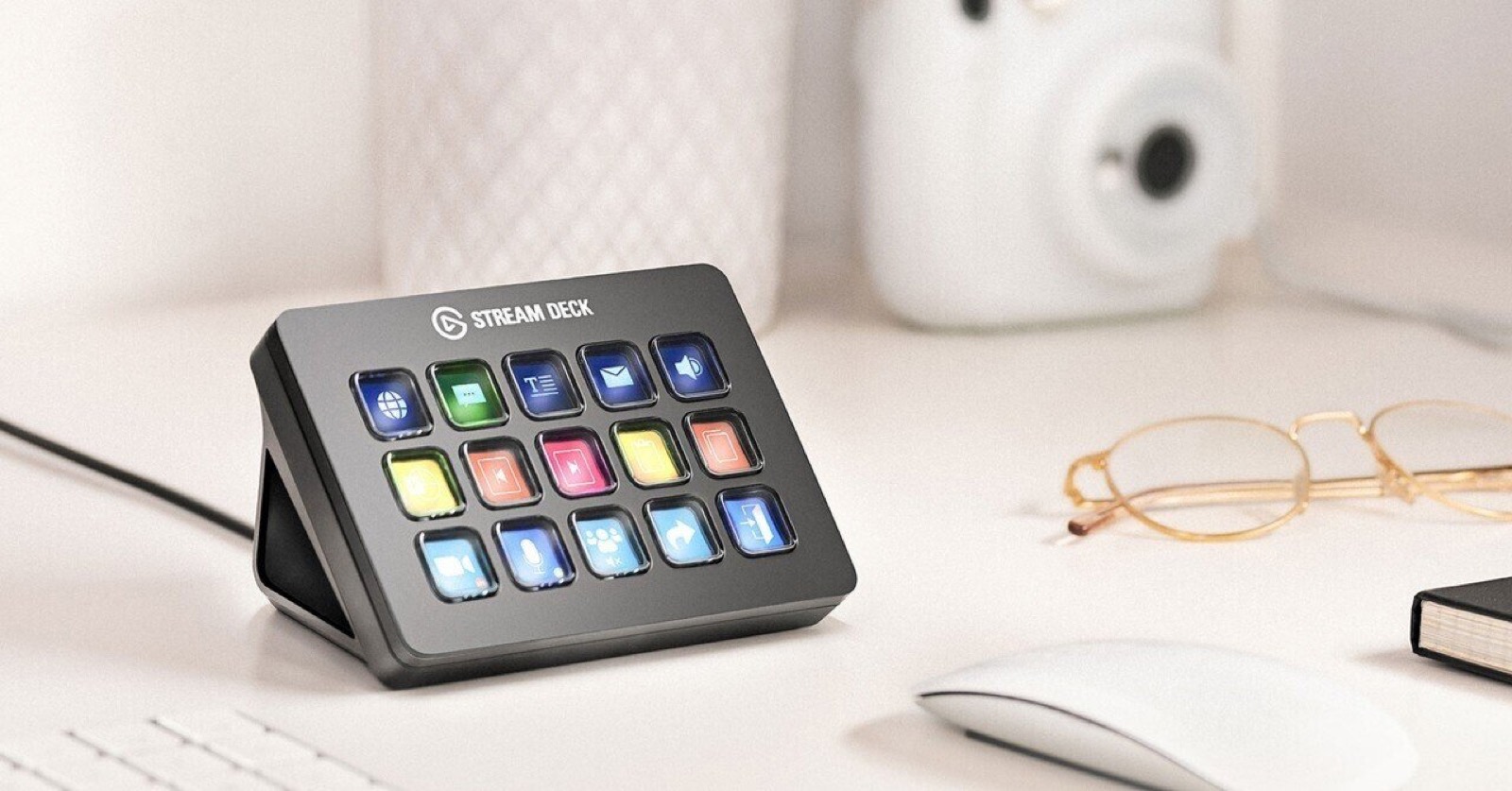
During Amazon’s Prime Big Deal Days, I bought a few pieces of gear and gadgets. The one I honestly feel best about buying is the Stream Deck: a small controller whose buttons can each be assigned an action.
Before I bought it, I thought, “It’s just a row of buttons, right?” I figured it wouldn’t make much difference for the price. But after using it for a few days, I found myself reaching for it every time I sat down at my computer. Here’s what I’ve learned from using it, in order.
Better than I expected: my calendar and everyday bookmarks
The first things I set up were my calendar and bookmarks for the web pages I open every day. Honestly, I thought of these as little extras, but they turned out to be surprisingly useful.
Opening a browser, finding a bookmark, and clicking it takes a few seconds. Now one button does it. The time saved each time is small, but I repeat the action many times a day, so the difference adds up. This was the most surprising example of how well the price matched the benefit: something I initially thought was no big deal.
Best use No. 1: text snippets and email addresses
The biggest time-saver for me has been registering text snippets.
When I contact people for work, I often use phrases like:
- “Thank you for your continued support.”
- “I look forward to working with you.”
- “I look forward to continuing our work together.”
I used to type these familiar lines every time. Now each one is a single click. It’s also really convenient to save strings you enter repeatedly but don’t want to mistype, such as an email address.
I think people who work at a computer will feel the benefit most. I also recommend assigning everyday shortcuts like copy and paste to buttons. I use those so often that they’re practically essential.
You can register passwords, too. But anyone can enter one by pressing the button, so I don’t recommend doing this on a computer shared with family or used at work. If you do, keep it to an environment that only you can access.
Best use No. 2: commands for music production and video editing
For people who create things, this is the main attraction.
I use Studio Pro (formerly Studio One) as my DAW. I made a macro for the whole process of finding, selecting, and inserting a frequently used plugin, then assigned it to one button. I already know which plugins I use every time, such as EQs and compressors, so this makes a real difference.
I can also prepare a new session with five tracks, for example, in a single click. Macros let you register a sequence of actions—do this, then that—so the more you use them, the more you can tailor the controller to your workflow and speed things up.
If a model’s knobs work with your DAW, a version with knobs is also worth considering. You can turn a knob to adjust volume or a parameter instead of using the mouse.
The same idea applies to video editing. Grouping frequently used actions such as cutting and exporting helps keep your workflow moving.
Best use No. 3: switching scenes during streams and live shows
You can switch scenes in a game stream or livestream using OBS with a single button. You no longer have to search around the screen with your mouse while you’re live, so you can operate things calmly even while talking. As the name Stream Deck suggests, it was originally made for streamers, and this is where it really shows its strengths.
What I learned about choosing and setting one up
Give yourself five minutes for the initial setup
When you first get one, you may wonder what to register. You don’t have to make it perfect from the start. Spend about five minutes thinking it over and add whatever comes to mind. That’s enough.
Then, as you use it, add one thing whenever you think, “I want a button for this, too.” Keep building it up, and you’ll end up with a control panel made for you.
Fifteen keys in a 3-by-5 layout is the minimum
In my experience, I’d want at least 15 keys in a 3-by-5 layout. Once you add text snippets, bookmarks, shortcuts, and DAW macros, six keys fill up quickly. You can add more with folders (page switching), but it’s faster when the actions you want are all visible on one screen.
If you won’t use the knobs, a model without them is easier
Models with knobs are handy for controlling a DAW or adjusting volume. But if you don’t use them, they just take up space. Choose based on whether you’ll actually turn knobs as part of your workflow.
You can adjust volume with buttons, too
If you’re thinking, “I want to change the volume, so I should get a model with knobs,” hold on a moment. You can assign volume up and down, or mute, to buttons. Plenty of people won’t need knobs.
My three recommended models
Elgato Stream Deck MK.2
This is Elgato’s standard model, from the original Stream Deck line. It has 15 keys, polished software, and a wide range of plugins (add-on features). If you’re not sure which one to choose, this is the one to start with.
My recommendation: a great choice if you want to speed up your work with buttons first and don’t plan to use knobs.
VSDINSIDE M18
This model has 15 keys plus knobs. It’s a good fit if you want to turn knobs to control DAW parameters or volume.
My recommendation: a great choice for creators who want 15 keys and are interested in trying knobs, too.
VSDINSIDE N3
This compact model combines six keys with knobs and a dial. It has fewer keys, so it’s for people with only a few actions to register or people who mainly want knob controls.
My recommendation: consider it if you want to start small or have limited desk space. If you think you’ll want to register a lot of actions, you’ll be better off with a 15-key model.
A bonus: an unexpected benefit
Finally, here’s one unexpected benefit I noticed after using it.
I’ve noticeably cut down on how often I touch my laptop keyboard. I let the buttons handle words and actions I use often, so it feels like the keyboard might last longer. (Laughs.)
I’d tell my former self, who thought it was “just a row of buttons,” to “just buy one already.” That’s how much lighter it’s made my everyday work.
Photo credits
- Header image: Elgato Stream Deck (Image: Elgato official website)